Posts

5 Tools to Embed Instagram Widget on a Website

Image
In the modern digital world, social media platforms like Facebook, Twitter, Pinterest, etc. have completely changed the way brands connect with their customers. Now the communication between user & brand is more sort of direct and personal. One of the best social media networks, Instagram is said to be the goldmine of user-generated content for brands.  And if you own a website then Instagram is the best platform for you to aggregate content & display it on your site in the most creative way i.e Widget. Yes, you read it right! Embedding a social media widget like an Instagram widget on website is the best way to build a massive online presence by displaying user-generated content.  Especially for many big & small brands, this social media marketing tactic is the need of the hour.  By embedding an Instagram widget on a website you can boost brand engagement, healthy user-brand interaction, easy promotions, increase conversions & sales, etc. This is why num...

Why You Should Consider Social Media Marketing

Image
You should always be careful about the type of   marketing strategies   you invest in. It is crucial to spend your limited marketing budget wisely if you want to monetize your website.   Social media marketing   is one of the most cost-effective and versatile strategies that businesses use to reach the target audience and boost their sale.  This is why using social media can help you reach your audiences. Here are some of the reasons why social media marketing is a must for your business:  Most Customers Are on Social Media  One of the major reasons to consider social media marketing is the fact that most customers spend their time on social media channels. By 2021, the number of social media users is only expected to increase. Hence, with many business users using social media, there is a great opportunity for your business to reach your online audience.  If your business is not already on social media then you should consider joining because you...

HOW TO ADD INSTAGRAM WIDGET IN BLOGGER?

Image
B logger is the growing blogging website where people can publish their blogs and create their own blogging website.  It is considered as one of the prominent platforms for writers to share their views and thoughts effectively to a worldwide audience. Writers can make their blog engaging and effective by adding images, videos, and even social media feeds so that their content will become engaging.  People are looking for content that helps them get valuable information and entertain them. Nobody likes to read boring content without any images and creatives, thus, you can add social media feeds to your Blogger articles.  Instagram is the most popular social media network with half of the global population as active users.  There are several ways that you can use to add Instagram photos and videos on your website.  In this article I will tell you different ways to embed Instagram widget on Blogger. But let’s first quickly go through the benefits of using Instagra...

Top 3 Free Shopify Apps to add Instagram Feeds on Shopify

Image
In this age of digitalization, the world has made a massive shift towards eCommerce and online shopping. And due to this shift, businesses have started establishing themselves on eCommerce platforms.  When we talk about eCommerce platforms, the first name that strikes the mind is Shopify. With more than 820,000 merchants on the platform, it stands as the most trusted platform for businesses and customers.  If you already have a Shopify store or are thinking about having it and looking for ways to add visuals and functionality, then this article is just for you. This article will discuss the simplest way to attain the features mentioned above and the best tools to help you achieve them. One of the initial steps for any business to attain sales is attracting customers and creating a good impression. And as we stand in this age of the internet, people are encouraged to use online platforms for their shopping. Hence, it becomes very important that you add that X-factor to that onl...

4 Ways to Embed Instagram Photos and Videos

Image
In love with Instagram? Who is not, it is one of the most creative and leading-edge social media platforms. The potential and influence which Instagram delivers are well-recognized by users as well as by the brands. Instagram has evolved a lot with time and has introduced various new features.  Instagram has the highest number of active users daily. This number reflects the efficiency of the platform, because of which the brands & the businesses are using this platform to influence their users and to acquire more opportunities to increase their conversion rates.  Embedding Instagram is one of the most efficient and powerful features which Instagram has introduced recently. It enables the user to embed their photos and videos most creatively to attract as many of the users as possible.  Not sure about how to embed Instagram photos and videos? Not to worry, if this is the case, then this article is for you. This article is outlined in the 4 best ways of embedding Instag...

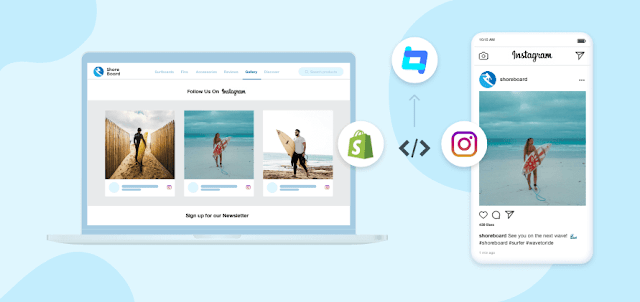
How to add Instagram Feeds on Shopify Store – 2022

Image
In recent years Instagram has witnessed immense growth in its popularity. And as it is enjoying its wave of popularity, content creators, businesses, influencers, and more, everyone wants to swim in this wave to enjoy some success. While many businesses often restrict themselves by using the platform within the limits, you can use the platform beyond the platform limit and that is by embedding Instagram feeds on your website. So if you own a Shopify store and aim to add  Instagram  feed to Shopify  stores then you are at the right place. In this blog, we will be discussing an easy way to embed Instagram feeds on your Shopify store. Many would suggest that you can add an Instagram feed on your website by copying the embedding code of your selected post and pasting it on the website’s backend. But this is a time-consuming process as you have to select each post one by one. Also, you cannot customize the widget and match as per the style of your website. But we recommend you...